
In short
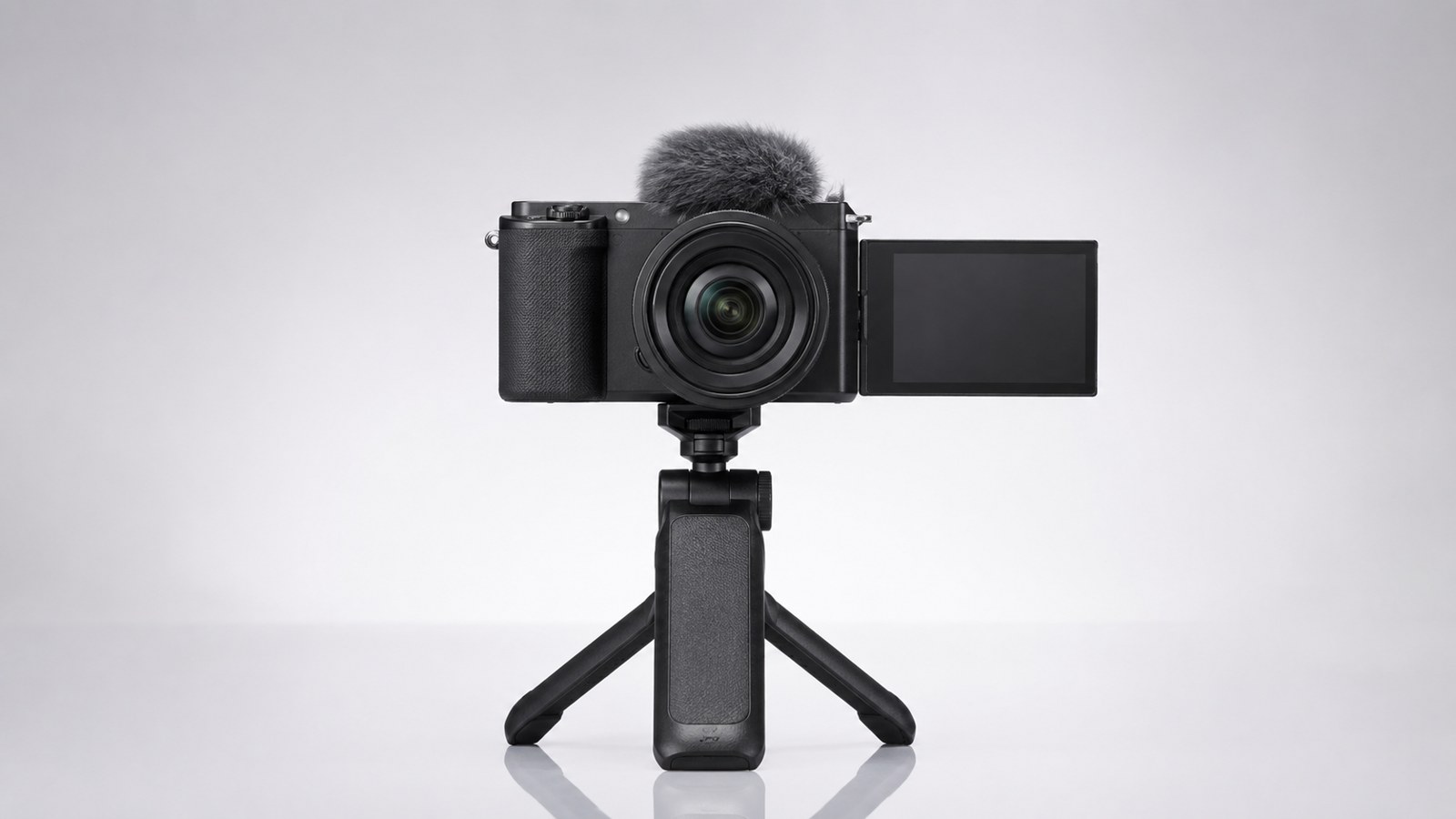
- For vlogging, three things matter: a screen that flips toward you, autofocus that stays locked on your face, and a microphone input. Megapixels and full frame are secondary.
- The Sony A6400 (650 euros used) and the Nikon Z30 (450 euros) are the most sensible choices for beginners: a screen that flips forward and reliable eye-detection AF.
- The Canon EOS R100 is cheap (400 euros) but has a fixed screen: for talking to the camera, it’s the wrong choice, better to know before buying.
- In 4K, almost all these cameras have limitations: crop, overheating, or no continuous autofocus. For YouTube, well-exposed 1080p 60p is more than enough.
Every week, someone comes to the counter wanting to start a YouTube channel and asks for the right camera. Almost always, they already have a model in mind from a review, usually a full-frame body that costs twice as much as they actually need. Vlogging doesn't work that way: the camera filming you while you speak has specific requirements, and almost none of them relate to sensor resolution.
In this article, I explain what is truly needed for those starting to create talking-head videos for YouTube, which features to consider before the price, and which used models we have in stock that get the job done without making you spend more than necessary. No copied rankings: only camera bodies that pass through our workshop and that I would recommend to a friend launching their first channel.
What a vlogging camera really needs
Behind the counter, I see the same scene every week: someone walks in determined to buy the camera with the most megapixels or the full-frame sensor, convinced that's what makes the difference for YouTube. It's not. When speaking in front of a camera, three things matter, and none of them are highlighted in bold on the spec sheets.
- Selfie-facing flip screen, to frame yourself while you speak.
- Autofocus that locks onto face and eye, in video and continuous mode.
- External microphone jack input, because internal audio isn't enough.
Megapixels and sensor size come second. A 24-megapixel APS-C with these three requirements beats any full-frame without a flip-out screen, if your job is to look into the camera and talk.
Articulating screen: vari-angle vs tilt
This is where half the battle is won. The vari-angle (flip-out) screen opens to the side and rotates to face forward: you can see yourself while recording. The tilt screen only flips up or down, convenient for ground-level shots but useless for vlogging, because when you raise it, you often end up obscured by the lens or the microphone mounted on top. Before you buy, check this detail: an excellent camera with a fixed screen is the wrong choice for talking to the camera. Better to know this upfront.
Autofocus that tracks face and eye
Continuous eye-AF in video is the feature that makes or breaks a vlog. If you move, get closer, or pick up an object, the focus must stay on your eye without pumping back and forth. This is where recent camera bodies have made a huge leap compared to five years ago. An AF that "breathes" and loses the face forces you to reshoot, and after three takes, you give up. No megapixel count saves you from slow autofocus.
Audio is half of the video
To be clear: viewers forgive a mediocre image, but not bad audio. The built-in microphone picks up room echo, fan noise, and the rustling of hands. You need the 3.5mm jack input to connect an external microphone, even a budget one. If you want to dive deeper into the complete setup, we cover it in the guide to mirrorless cameras for vlogging and YouTube. For now, remember: three criteria, in this order. Everything else is secondary.
Mirrorless or DSLR for video? The question is already answered
If you are considering a used DSLR for vlogging because it is cheap, pause for a moment. In video, the debate between DSLR and mirrorless has been settled for years, and it is not due to technical snobbery: it is a matter of components. The mirrorless is designed to read the sensor in real time, and this changes everything when you need to film yourself while speaking.
The issue is not image quality. A DSLR like the Canon EOS 250D records decent 1080p. The problem is what happens when you move in front of the lens: focus lags, the screen often doesn't flip towards you, and the body weighs more on your extended arm. Three details that matter little on a fixed camera, but are decisive for vlogging.
Why DSLRs lost the video battle
The difference lies in how the two technologies focus when you shoot. Here are the three points that truly matter:
- Lower live view autofocus. The DSLR uses its mirror system for stills, but in video it must switch to on-sensor focusing, which on entry-level models is slow and "hunts" back and forth. The mirrorless always uses the same system, built to continuously track the subject.
- No video eye-AF on affordable models. Eye recognition that stays locked on your face while you move is the feature that makes a difference for those speaking to the camera. On used DSLRs under 700 euros, in video, it simply doesn't exist.
- Bulkier bodies. The mirror and pentaprism take up space. With the same sensor, a DSLR is taller and heavier than a mirrorless: holding it at arm's length for three minutes is noticeable.
This does not mean a DSLR is useless: for still photography, it remains highly effective and often offers better value. However, your goal here is to film yourself, and the right tools for that job are different. If you want to fully understand the differences between the two systems, we have compared them in DSLR or mirrorless: which to choose in 2026.
For the rest of the article, we therefore assume the mirrorless choice and focus solely on format, budget, and accessories. That is where the real decision is made.
APS-C: the right format to start vlogging
For those starting out in vlogging, APS-C is the sweet spot: lightweight bodies, lenses that cost half as much as their full-frame counterparts, and image quality that at 1080p or 4K on YouTube is indistinguishable from a larger sensor. The APS-C sensor has a surface area approximately 2.3 times smaller than full frame, and in practical vlogging terms, this translates to one real downside: less background blur and a bit more noise in low light. For talking to the camera with decent lighting, it’s not an issue.
What truly changes the game for vloggers is something else: the flip-out screen, the autofocus that stays locked on your face, and the microphone input. On these three points, modern APS-C is already at the right level.
Sony A6400 and A6100: reference autofocus
Sony's Eye-AF is still the benchmark today: it locks onto the eye and holds focus while you walk, turn, or move closer. Both camera bodies feature a screen that tilts up 180° and a 3.5 mm mic input. The difference is subtle.
- Sony A6400 (650 euro used) — more generous buffer and burst rate, build quality a step above. The choice if you want a body that accompanies you beyond vlogging.
- Sony A6100 (550 euro) — same 24 MP sensor and same autofocus as the A6400. For pure vlogging it is identical and saves you 100 euro.
Nikon Z30: designed specifically for creators
The Nikon Z30 (450 euros) is the camera body most focused on vlogging in this list. It features a vari-angle flip-out screen, a front recording light to indicate when you are recording, and a deep grip that is comfortable for handheld shooting. Nikon removed the viewfinder to keep the price low: if you vlog by looking at the screen, you won't miss it. It is the most sensible investment for those starting from scratch.
Nikon Z50 Mark II and Fujifilm X-T2: solid alternatives
The Nikon Z50 Mark II (780 euros) is the most complete modern APS-C body: vari-angle screen, viewfinder, and updated autofocus, for those who want a body that handles video and photos at the same level. The Fujifilm X-T2 (550 euros) is a special case: extraordinary film colors straight out of camera, but the screen only tilts, it does not flip towards you. It is inconvenient for front-facing vlogging; for those who shoot video occasionally and love the Fuji aesthetic, it makes sense. Knowing this limitation before buying it.
Mirrorless for vlogging in our catalog: what they offer for beginners
| Model | Used Price | Front Screen | Mic Input | Suitable for Handheld Talking |
|---|---|---|---|---|
| Nikon Z30 | €450 | Vari-angle (yes) | Yes | Excellent |
| Sony A6400 | €650 | 180° tilt up (yes) | Yes | Excellent |
| Sony A6100 | €550 | 180° tilt up (yes) | Yes | Good |
| Nikon Z50 Mark II | €780 | Vari-angle (yes) | Yes | Excellent |
| Canon EOS RP | €600 | Vari-angle (yes) | Yes | Good (4K with crop) |
| Sony A6000 | €360 | Tilt up, dated AF | No | Limited |
| Canon EOS R100 | €400 | Fixed (no) | Yes | Poor |
Budget deals: where it pays to save and where it doesn't
Under €400-500, the used market offers camera bodies that are excellent for photography but were designed before vlogging became a specific use case for manufacturers. The savings are real, but it changes where you pay the price: sometimes you give up a generation of autofocus, other times the screen you need to frame yourself. The former is a manageable compromise, the latter is not.
The practical rule is simple. On a budget camera, you can accept a less responsive autofocus or a single recording format. You cannot accept a screen you can't see while talking: without it, you're working blind.
Sony A6000 at 360 euros: great photo quality, awkward vlogging
The Sony A6000 at 360 euros remains one of the best APS-C options for those shooting on a tight budget: a solid sensor, fast burst rate, and a vast lens lineup. However, for vlogging, it shows its ten years. The screen tilts only upwards and does not flip forward: to frame yourself while speaking, you must rely on memory or add an external monitor.
The other limitation is the autofocus. It is one generation behind the A6400: it tracks faces well in stills, but with moving subjects it tends to hunt and lose focus. In practice, this means:
- Good for static tripod video, where you frame once and the AF works little.
- Less good for handheld vlogging while walking, with the face moving closer and farther away.
If your primary use is stills and video is occasional, it’s a great deal at €360. If you buy it to vlog daily, the extra €290 for an A6400 is worth it for the autofocus and front screen.
Canon EOS R100: watch out for the fixed screen
The Canon EOS R100 at 400 euros is the classic beginner's trap. The price is inviting, the brand is reassuring, the specs mention 4K. Then you discover the detail that changes everything: the screen is fixed, it does not flip or tilt. For anyone who speaks to the lens, this is the wrong model, period.
It is not a bad camera in absolute terms: for family photos or filming other people, it does its job. But for vlogging, it lacks the very first of the three criteria that matter. Better to say it before the purchase than after. If €400 is your budget, the Nikon Z30 at €450 or a used A6000 will serve you much better for talking to the camera.
Full frame for vlogging: does a beginner really need it?
No, and I say this as someone who sells full frame every week. When it comes to speaking in front of a camera, the large sensor doesn't solve any of the three real problems: a visible screen, autofocus locked onto your face, and microphone input. What full frame gives you is something else — softer background blur and better performance in low light. Nice things, but rarely needed by a beginner in the first few months.
The downside hits you immediately: pricier bodies, more expensive and heavier lenses, and larger files. If you're just starting out, that money works better spent on a good microphone and a fast lens for APS-C. That said, some people want that cinematic look from day one. For them, we have two options in our catalog, with very different characteristics.
Canon EOS RP: full frame entry at 600 euros
The Canon EOS RP at 600 euros is the most affordable way to put a full-frame sensor in front of your face. The screen is vari-angle, flips forward, and Canon's skin tones remain among the most pleasing without needing any post-processing corrections. For shooting in 1080p and achieving that soft background blur, it is an honest camera.
The problem arises in 4K: there is a heavy crop that cuts into your framing, and the autofocus becomes unreliable. In other words, in 4K, on its own, you risk ending up with a blurry shot halfway through recording. If you are content with 1080p — and for YouTube, that is more than enough — the RP does its job well.
Sony A7 II: affordable but outdated for video
The Sony A7 Mark II, priced between 550 and 600 euros, is full frame and still performs excellently in stills thanks to in-body image stabilization. For vlogging, however, it shows its age: no 4K, slow and hesitant autofocus in video, and a screen that does not flip out. That is three no's on three key criteria.
I recommend this to those who mainly take photos and want a stabilized full-frame body without spending much, not to those who shoot video. If you are moving from a DSLR to a mirrorless camera and want to understand what really changes, read our guide to migrating from DSLR to mirrorless before choosing the format.
4K and its pitfalls: crop, overheating, autofocus
"Records in 4K" on the box does not mean "records in 4K the way you want it to". On almost all budget mirrorless cameras, 4K comes with a hidden cost: a sensor crop, a time limit, or an autofocus that performs worse than in Full HD. For a beginner YouTube channel, well-exposed 1080p at 60 frames per second remains the safest choice, and no one will notice the difference on a phone screen.
The three recurring pitfalls are always these:
- Crop: the sensor uses only the central portion, the framing tightens, and the wide-angle disappears right when you're shooting handheld.
- Overheating: the camera shuts down after a few minutes of continuous recording, often without clear warning.
- Degraded autofocus: in 4K, some models switch to a slower AF or lose it entirely, and the face goes out of focus while you're talking.
When 4K has a crop that ruins the wide angle
The most annoying issue for vlogging is the crop. Imagine holding the camera at arm's length with a wide-angle lens: in 1080p, you frame your face and the background behind you. Switch to 4K, the sensor crops the center, and suddenly you're only capturing your face, too close. For speaking to the camera in tight spaces — your desk, a small room — this limitation changes everything. Before choosing a camera body, always check if the 4K is "full sensor" or cropped: it's a line in the technical specs that determines whether that model is usable or not for your shooting style.
Panasonic GH5: the video queen, but not for beginners
The Panasonic GH5, which we have at 470 euros, is a different world: it records 4K 10-bit without time limits and is built to shoot for hours without overheating. It is the camera for those who take video seriously. But for the beginner who wants to talk to the camera, there are two concrete obstacles: it is heavy to hold at arm's length and its contrast autofocus "pumps" on the face during speech. On a tripod, with manual or fixed focus, it becomes excellent. For spontaneous vlogging at arm's length, no.
The practical rule: buy 4K only if you already know why you need it. Otherwise, 1080p gives you fewer problems and fewer huge files to manage.
What 4K really means on the spec sheets
| Model | 4K available | 4K crop | Video autofocus | Recording limit |
|---|---|---|---|---|
| Panasonic GH5 | Yes 10-bit | No (full sensor) | Contrast-detect, shaky | Unlimited |
| Sony A6400 | Yes | Light | Excellent Eye-AF | No hardware limit |
| Canon EOS RP | Yes | Heavy (1.6x) | Unreliable in 4K | Limited |
| Sony A7 II | No (1080p only) | - | Slow | - |
Lens, microphone and tripod: the minimum kit to get started
The camera body you chose is only half the job. The other half consists of three accessories that determine whether your video looks like it was made by a creator or by someone who just turned on the camera. Nothing expensive: with 100-150 euros in total, you cover the right lens, audio, and stability. The important thing is to spend them on the right things, not on yet another gadget that ends up in a drawer.
The wide-angle lens you really need
When you take a selfie with your arm fully extended, the distance between you and the camera is 50-60 cm. With a normal lens, only you, half your face, and no background will fit in the frame. You need a wide-angle lens: in full-frame equivalent terms, we are talking about 16-24mm, which on APS-C means approximately 11-16mm.
The good news: the classic zoom kit 16-50mm found on almost all APS-C mirrorless cameras already covers this need at the shortest focal length. It is more than enough to get started. Do not immediately buy a bright prime lens for 400 euros: first figure out if vlogging is for you, then consider investing in a dedicated wide-angle lens if needed.
- Arm's length, talking to camera: 16-24mm equivalent, the kit zoom at the short focal length works perfectly.
- Camera on a tripod, shooting yourself from a fixed position: even a 24-35mm equivalent works, you have more distance.
- B-roll and details: here the kit zoom gives you flexibility that a prime lens doesn't have.
Mic and stabilization: two euros well spent
The audio from the internal microphone is the fastest way to make a well-shot video look amateurish. A hot-shoe shotgun microphone (50-80 euros) or a budget lavalier clipped to the collar changes everything. For spoken vlogs, the lavalier is often the best choice: it stays close to the mouth even if the camera is far away. This is why the microphone input, which we discussed at the beginning, matters more than megapixels.
Regarding stabilization, we make a distinction. If you are walking and talking, in-body stabilization (IBIS) or the body's electronic stabilization reduces shake sufficiently for most vlogs. A gimbal is truly only necessary if you are shooting fluid, cinematic footage while moving. To start, avoid the expense: a compact tripod or a handheld mini-tripod provides the stable static shots you use 90% of the time. Add the gimbal later, once you know you need it.
How we service video bodies at the ReflexMania workshop
A used camera for stills and a used camera for video are not checked in the same way. On a body intended for video, we look at things that matter little to a photographer but can ruin the day for someone speaking on camera: the screen hinge, the microphone jack retention, and the heat after ten minutes of recording.
The shutter count remains the first figure we certify, as it reflects shutter wear. However, on a vlogging body, it is only half the story: those who shoot video wear down mechanical components differently, and that is where we focus.
Specific checks for buyers focused on video
In addition to the standard sensor diagnostics and certified shutter count, we add four targeted tests for video bodies. They are easy to explain but annoying to discover after the purchase.
- Articulated screen hinge. We open and rotate the display dozens of times. On a vari-angle articulated screen, the weak point is the hinge: lateral play, stiff movement, and the internal flat cable that starts causing image issues when the screen is flipped forward. For those who film themselves, it is the most important part of the camera.
- Microphone jack. We connect an external mic and listen to the actual signal. An oxidized 3.5 mm input or one with poor contact results in audio that cuts out on one channel. This is only visible during setup, when you have already started shooting.
- Thermal performance during extended recording. We set the camera to record for a long time and time it. We want to know if and after how many minutes the camera heats up to the point of slowing down or shutting off, because this is data that spec sheets never declare.
- Battery door and USB port fit. Vloggers charge and power from USB much more than photographers. A loose port or a broken door means no continuous power during a live stream.
We document what we find on the product sheet, even when it’s not in our favor. If a camera body can only handle eight minutes of 4K before overheating, that’s information you need before you buy, not after.
We apply the same method to lighter travel bodies: if you are interested in versatility and battery life, we covered this in which mirrorless to choose for light travel. A properly serviced camera is one where you know exactly what you are buying, limitations included.
Frequently asked questions
What is the best used mirrorless camera for starting vlogging on a budget?
The Nikon Z30 at around 450 euros is the best compromise: it has a flip-out screen that turns to the front, a microphone input, and reliable face autofocus. If you find a Sony A6400 for 650 euros, you get the best autofocus in the category.
Do I need a full-frame camera for YouTube?
No, if you start. Full frame provides more bokeh and better low-light performance, but it costs more and often features a video system with limitations, such as the heavy 4K crop on the Canon EOS RP. An APS-C camera like the Sony A6400 produces more than publishable video and leaves you with budget for a microphone and tripod.
Is the fixed screen of the Canon EOS R100 suitable for video?
It works fine for videos where you don't film yourself, but for spoken vlogs it is the wrong model: since the screen cannot be flipped towards you, you never see the framing while talking. At 400 euros, it is a good budget camera body, not a vlogging camera.
Can I use the camera's built-in microphone for YouTube?
Technically yes, but the audio is half of a video and the internal microphones capture noise, echo, and the sound of the autofocus. A cheap shotgun or lavalier microphone connected to the 3.5mm jack improves the result more than any upgrade to the camera body.
Why does everyone talk about 4K, but then there are problems?
Why '4K' on the spec sheet doesn't tell the whole story. Many camera bodies crop the image to 4K, lose continuous autofocus, or overheat after a few minutes. For YouTube, a well-exposed 1080p at 60 frames per second is often a more solid choice than 4K with compromises.
Is the Panasonic GH5 at 470 euros a good idea for beginners?
It is a formidable video camera, recording 4K 10-bit without time limits, but I do not recommend it to a beginner who vlogs handheld: it is heavy and its contrast autofocus struggles to track the face. It is perfect for those who shoot on a tripod and want to learn video seriously.
Is it worth buying a used camera for video?
Yes, if it is certified. Used video camera bodies may have a worn-out articulating screen or overheating issues, which is why at ReflexMania we test the screen, inputs, and thermal behavior during extended recording, as well as the certified shutter count, and provide a 2-year warranty.
Looking for advice on your first vlogging setup?
If you have doubts about a purchase or need advice for your specific case, write to us. We offer free advice because we are photographers first, sellers second, and because a customer who buys poorly does not come back to photography.
Three ways to get in touch:
- Contact form — response within 24 business hours
- WhatsApp at 342 362 3454 (messages only)
- Phone: 071 291 6347 (Mon-Fri 9-13/15-18, Sat 9-13)
If you want to see what we have in stock right away, explore the available used gear today: every camera is certified, comes with a 2-year warranty, and ships within 24-48 hours.
Article written by Matteo for the ReflexMania Team. Last updated: June 2026. Prices and availability as of the date of publication.