
In short
- Adapters from the same brand (EF on RF, F on Z, A on E) maintain autofocus and exposure: they are the most reliable.
- Micro 4/3 shares the mount between Olympus/OM System and Panasonic Lumix: no adapters needed, full native compatibility.
- Adapting a lens from a different brand (Canon EF on Sony E with Sigma MC-11 adapter) works, but autofocus slows down and some lenses do not lock on.
- Adapting vintage manual lenses costs 20-40 euros and always works, but you lose autofocus and automation: only for those who shoot in manual.
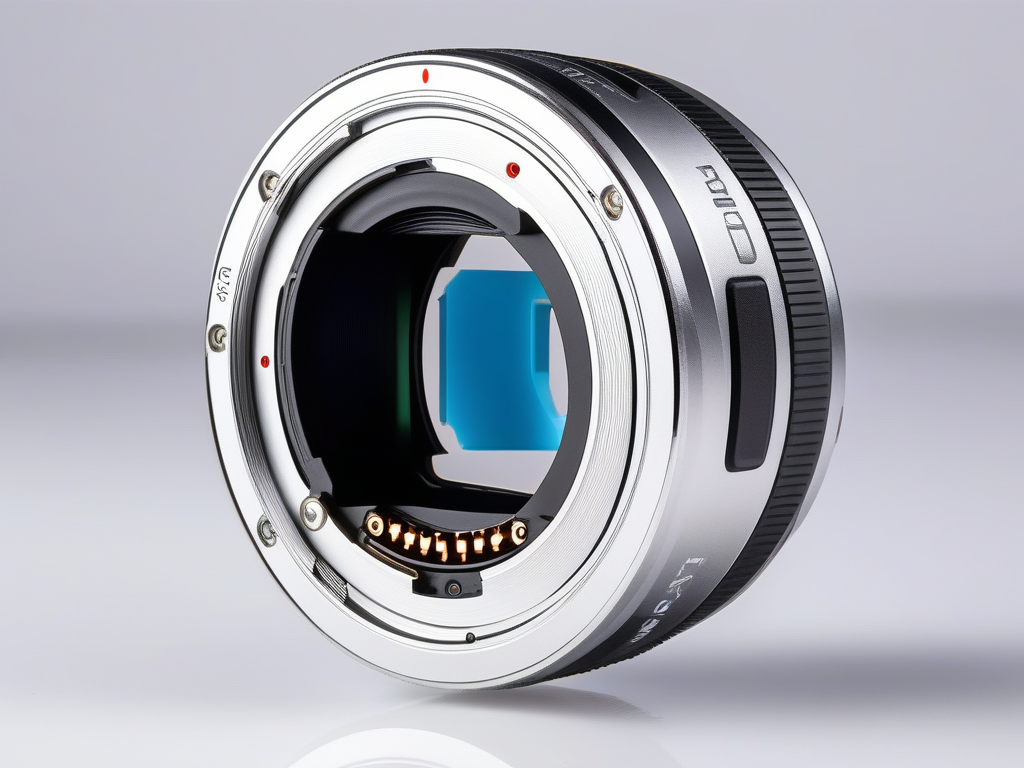
At the counter, the same question comes up almost every week: I have three Canon EF lenses from my old DSLR, can I use them on my new mirrorless? The short answer is yes, almost always. The long answer depends on which adapter, which brand combination, and how much you care about autofocus. A wrong adapter turns an 800-euro 70-200 into an expensive doorstop.
In this article, we list the actual combinations we see coming through our workshop, categorized by scenario: same brand, different brands, and vintage lenses. No abstract theory on optical registers. Just what mounts, what focuses, and what leaves you in manual mode, using the mirrorless bodies we currently have in the shop for hands-on testing.
Why an adapter is needed (and why it doesn't always work)
Between the mount where you screw in the lens and the sensor, there is an empty space. On a DSLR, that space is occupied by the flip-up mirror, making it deep. On a mirrorless, the mirror is absent, and that distance is shortened by several millimeters. This is the entire reason why mirrorless cameras adapt DSLR lenses with ease, while the reverse is almost always impossible.
Flange focal distance in plain terms
The flange focal distance is the measurement between the lens mount and the sensor. A Canon EF DSLR has a flange focal distance of 44 mm, while a Canon RF mirrorless has only 20 mm. Those 24 mm of difference are free space: enough and to spare to insert an adapter ring that repositions the old lens at the correct distance.
The problem arises when you try to do the opposite. To mount an RF lens on a DSLR body, you would need to shorten the flange focal distance, meaning bringing the lens 24 mm closer to the sensor. There is no way to remove physical space: an adapter can only add it. This is why no serious adapters exist that bring mirrorless lenses to DSLRs without inserting a corrective lens, which degrades optical quality. If you want to better understand the differences between the two systems, we have discussed it in reflex vs mirrorless: which to choose.
What a good adapter must do
Fixing the flange focal distance is only half the job. The lens and the camera body must also communicate, and that dialogue happens through the electrical contacts. A quality adapter transmits everything; a purely mechanical one leaves you with a silent piece of glass mounted in front of the sensor.
Here is what passes through the contacts, and what you lose without them:
- Autofocus: without electrical signal, focus manually only by rotating the ring.
- Aperture control: without it, the aperture remains fixed or must be set on the lens.
- Automatic exposure: the camera body does not read lens data and struggles to meter the light.
- EXIF data: focal length and aperture are not recorded in the file.
- Stabilization: the lens-body communication required by the stabilizer is lost.
This is where the differences between the various scenarios come into play. An adapter from the same brand retains all these automated functions, one between different brands keeps some and loses others, while a mechanical adapter for vintage lenses gives up everything in exchange for a few euros. In the following paragraphs, we look at what to expect in each specific case.
Which adapter for which system
| Lenses you have | Mirrorless body | Adapter | Autofocus |
|---|---|---|---|
| Canon EF / EF-S | Canon RF (EOS R) | Canon EF-EOS R | Full |
| Nikon F (AF-S/AF-P) | Nikon Z | Nikon FTZ II | Full |
| Nikon F (older AF-D) | Nikon Z | Nikon FTZ II | Manual only |
| Sony/Minolta A | Sony E | Sony LA-EA5 | Full (on recent bodies) |
| Canon EF | Sony E | Sigma MC-11 / Metabones | Slower |
| Vintage lenses (M42, OM) | Any mirrorless | Mechanical adapter | Manual only |
Canon EF to RF: the adapter that works best of all
If I had to name a case where adapting a lens costs nothing in terms of performance, it is this one. Canon designed the EF-EOS R adapter to migrate its DSLR lens base to the new RF system without penalty. You mount it, attach an EF or EF-S lens, and the camera body behaves as if the lens were born mirrorless. Autofocus, stabilization, EXIF data, profile corrections: everything is transferred without compromises.
Autofocus and quality: no real compromise
Using an EF 50mm or an EF 24-105mm on an RF body focuses with the same speed you had on a DSLR, often even better. The reason is direct detection on the sensor: the mirrorless system operates in Dual Pixel, eliminating the front/back focus issues that sometimes affected DSLRs with separate AF modules. Optical quality remains identical, as the adapter is an empty tube that restores the correct flange distance, without additional lenses degrading the image.
On an entry-level body like the Canon EOS R100 (400 euros, the most affordable RF model we stock), the adapter opens access to the entire used EF lens lineup, which is vast and inexpensive. On a Canon EOS RP (600 euros, a lightweight full-frame ideal for portraits), you can recover full-frame EF lenses such as the 85mm f/1.8 at prices native RF lenses have not yet reached.
The 4 versions of the Canon adapter
Canon sells the same adapter in four variants. Only what you hold in your hands changes, not the optical quality.
| Version | Best for |
|---|---|
| Plain (base) | The right choice for 90% of users who just want to use their EF lenses. It costs less and does everything. |
| With Control Ring | Adds a programmable ring (ISO, exposure, aperture) to EF lenses that lack one. |
| Drop-in with PL filter | Insertable polarizer behind the lens: useful if you use multiple lenses and don't want 77/82mm filters. |
| Drop-in with VND filter | Variable ND for video and long exposures, always behind the lens. |
Honest advice: start with the base model. The drop-in versions only make sense if you already have a workflow involving filters or heavy motion in video. For still photography, the base model leaves nothing to be desired.
Nikon F to Z: It depends on which F-mount lens you have
There is no simple yes or no here. Nikon's FTZ adapter (and the FTZ II version) allows you to mount any F-mount lens on a Z body, but autofocus only works with a portion of the lens lineup. The deciding factor isn't the adapter: it's the motor. If the lens drives the focus itself, everything works smoothly. If it relied on the motor inside the DSLR body, that motor doesn't exist on Z bodies, and you're left with manual focus.
It is worth clarifying this before purchasing, as the FTZ is mechanically identical for all models: the only difference lies in the lens you screw onto it.
AF-S and AF-P Lenses: Full Autofocus with FTZ
AF-S and AF-P lenses have the focus motor built into the lens. The FTZ adapter passes the commands, and the Z body drives them as if they were designed for the Z mount: fast autofocus, automatic exposure, and VR stabilization where available. No real compromise.
On an entry-level body like the Nikon Z30 at €450, lightweight and designed for video and vlogging, a 50mm AF-S f/1.8 performs excellently. The Nikon Z50 at €600 adds a viewfinder and a more substantial grip; the Nikon Z50 Mark II at €780 features a more modern subject-detection autofocus, which locks on even better with AF-S lenses.
AF and AF-D lenses: manual focus only
Here is the practical warning. Older AF and AF-D lenses (the classic 50mm f/1.8D, 90s-2000s zooms) do not have an internal motor: on a DSLR they relied on a mechanical pin driven by the camera body. Z bodies do not have this pin, and the FTZ does not recreate it.
- AF-S, AF-P: full autofocus, full exposure and VR.
- AF, AF-D: manual focus only. Exposure and aperture remain automatic, but you focus manually.
- AI, AI-S, pre-AI: fully manual, focus and aperture.
It’s not a flaw: it’s the physics of the system. But if you have a set of AF-D lenses and thought you could reuse them automatically on a Z, think again. For those lenses, the viewfinder’s focus peaking helps, but forget about tracking a moving subject.
Sony/Minolta A to E: The most overlooked case
If you have a drawer full of old Minolta AF or Sony A lenses, they are not scrap: with the right adapter, they can autofocus again on an E mount camera body. This is the scenario we see most often underestimated at the counter, because many people assume they have thrown away lenses that are still worth something.
Sony has produced two adapters with full electronics: the LA-EA3 and the LA-EA5. The difference is not a detail; it determines which lenses autofocus automatically.
| Adapter | SSM/SAM Lenses (motor in lens) | Screw-mount Lenses (motor in body) |
|---|---|---|
| LA-EA3 | Full autofocus | Manual only |
| LA-EA5 | Full autofocus | Autofocus, on compatible bodies |
LA-EA5: the version that revives old Minolta
The LA-EA5 integrates a screw-driven autofocus motor. This means that older Minolta AF lenses from the 90s and early Sony A-mount lenses — those with the transmission screw on the mount — can autofocus, which is impossible with the LA-EA3. Today, it is the best solution for those starting with an A-mount lens collection: just an adapter, no mirror box, minimal bulk.
On a recent body like the Sony A6400 at 650 euros, the combination performs as expected: active phase-detect AF, subject tracking, and intact exposure automation. It is the APS-C body we recommend building around if the goal is to recover old lenses without compromises.
Real limits on older camera bodies
Honesty is required here, because marketing won't tell you this. The LA-EA5 performs at its best only on a specific range of camera bodies. On a Sony A7 Mark II at 550 euros or a Sony A6000 at 360 euros, the screw-drive autofocus does not work with many Minolta lenses: you end up with the lens in manual focus, exactly as you would with the LA-EA3.
Practical rule: if you have SSM or SAM lenses (motor already in the lens), any adapter and almost every body will work. If you have screw-mount lenses, first verify that your body is on the LA-EA5 compatibility list, otherwise the purchase makes no sense. On the A6000 and A7 II, expect manual focus for screw-mount lenses.
Different brands: Canon EF on Sony E and smart adapters
This is where things get tricky. Mounting a Canon EF lens on a Sony E camera body is possible, but it requires an "intelligent" adapter that translates the electronic signals between two systems designed not to communicate. The three names we see coming across the counter are Sigma MC-11, Metabones, and Viltrox. They work, but with some "ifs" that need to be clarified before you spend your money.
The smart adapter contains a processor that converts autofocus and aperture protocols. It is not a simple mechanical tube: it is electronics that interpret, and when they interpret, they can make mistakes. On a Sony A7r at 700 euros, excellent for landscape and still life thanks to its 36 megapixels, an adapted EF lens delivers satisfaction. On fast shutter count, less so.
What to really expect from autofocus
For portraits, landscapes, still life, and anything that doesn't move, the adapted autofocus does its job. It's half a second slower than the native system, but precise. The problem arises with sports, running children, and burst mode: there, the system struggles, loses the subject, and "pumps" back and forth.
We verify this every time. A Sony A7 Mark II priced between 550 and 600 euros is not fast in autofocus to begin with; with an adapted EF lens, it becomes a camera for deliberate poses, not for action. If you are coming from the Canon world and considering a switch to Sony, also read our comparison on which system to choose: sometimes it is better to change lenses rather than adapt them.
Always check the compatibility list
This is the point that causes issues with the adapter. Sigma certifies operation only with its own Sigma lenses in Canon EF mount. Original Canon lenses and those from other third parties may work, work partially, or trigger a "lens not recognized" error.
- Sigma EF lenses: declared compatibility, best experience.
- Original Canon EF lenses: often ok, but not guaranteed model by model.
- Tamron and other third parties: the most unpredictable, to be tested physically.
The rule is simple: never buy an adapter based solely on the manufacturer's name. Look up your exact lens model in the official list, and if it's not there, consider it a risk. Adapting is a compromise, not a free upgrade for your lens collection.
Micro 4/3: the only system where an adapter is not needed
Olympus, OM System, and Panasonic Lumix all use the exact same mount. It is the only case in the world where two different manufacturers have decided to share a mount: the Micro Four Thirds, born in 2008 from an agreement between Olympus and Panasonic. This means a Lumix lens screws onto an OM-D body without any adapter, and vice versa, with autofocus and exposure working perfectly.
Olympus and Panasonic: same mount, zero worries
Take an Olympus OM-D E-M1 mark III — which we have at 800 euros, a robust weather-sealed camera body with some of the best in-body image stabilization in its class — and mount a Lumix 25mm f/1.7 on it. Everything works: autofocus, aperture, EXIF data exchange. The same goes for an Olympus PEN E-PL9 at 300 euros, the ideal compact mirrorless for those starting from scratch who want a lightweight system without spending too much.
The only two real differences between the two families are:
- Stabilization: Olympus/OM System focuses on IBIS in the camera body, while Panasonic relies on a Dual I.S. system that performs best with Lumix lenses. Mixing brands results in a loss of synchronization, but basic stabilization remains active.
- Profiles and corrections: Distortion and aberrations are corrected via profiles. A Panasonic lens on an Olympus body may not receive automatic correction, but this is only noticeable at the corners when shooting wide open.
Adapting DSLRs to M43: possible but with 2x crop
On Micro 4/3, you can mechanically adapt old EF, Nikon F, or Minolta A lenses. Technically, it works, but there is one detail that changes the entire usage: the M43 sensor has a 2x crop factor. A 50mm becomes a 100mm equivalent, and a 35mm becomes a 70mm.
In practice, you lose all wide-angle capability and end up with much narrower field of view than expected. A standard lens set designed for full-frame becomes a kit entirely oriented toward telephoto. This may work for portraits and wildlife, but it becomes inconvenient for reportage and landscape. Add to this that, unless you use specific smart adapters, autofocus is lost and you are left with manual focus only.
Honest advice: the Micro 4/3 system performs best with its native lenses, which are compact and lightweight as the system demands. Adapting DSLR lenses only makes sense if you already have a specific lens you want to reuse, accepting the crop and manual focus.
Crop factor and equivalent focal length with adapters
| Body system | Crop | A 50mm becomes |
|---|---|---|
| Full frame (Sony A7, Canon RP) | 1x | 50mm |
| APS-C (Sony A6400, Nikon Z50, Fuji X-T2) | 1.5x | approx. 75mm |
| Canon APS-C (R100) | 1.6x | 80mm |
| Micro 4/3 (Olympus) | 2x | 100mm |
Vintage manual lenses: low-cost fun
A mechanical adapter for M42, Nikon AI, Olympus OM, or Pentax K costs between 20 and 40 euros and always works. No electrical contacts, no electronics: just a ring that fills the flange distance between the lens and the sensor. That is why it never breaks and has no compatibility issues. You pay for the lack of automation: no autofocus, no aperture control from the body, stop-down exposure. All manual.
The beauty lies in what you put on top. A Takumar 55mm f/1.8 with M42 screw mount, a Helios 44-2 with its famous swirl bokeh, an Olympus Zuiko 50mm f/1.4: lenses that today cost 30-60 euros and have a character that modern lenses, perfect and clinically sharp, do not have.
Focus peaking: how mirrorless makes manual focus easy
Manual focusing on a DSLR meant squinting at the ground glass. On mirrorless cameras, everything changes. Focus peaking highlights in-focus areas with a colored outline: turn the ring until the subject's edge lights up, and you're set. Add the 1:1 magnification in the viewfinder for tricky cases and achieve precise focus even at f/1.4.
A Fujifilm X-T2 at 550 euros is perfect for this game: physical dials, excellent peaking, and that Fuji color rendering that pairs well with vintage lenses. To start spending little, a Sony A6000 at 360 euros does the same job: small body, APS-C sensor, effective peaking.
When it's worth it and when it's not
Let's be clear, because the truth benefits everyone:
- Makes sense for soft portraits, still life, landscape, and experimentation. Anything you shoot with patience, on stationary subjects, where manual focus doesn't slow you down.
- Doesn't make sense for running children, sports, reportage, or events. There, autofocus is truly essential, and a manual lens will make you miss the shot.
If you are looking for a 50mm or an 85mm for portraits, read our comparison between 50mm and 85mm for portraiture before jumping into vintage: understanding the right focal length matters more than the brand on the ring. Vintage lenses are a real pleasure, but they remain a secondary kit. Not your only lens.
What we check in our lab before recommending an adapter
I always test an adapter with your camera body and lens mounted together, never relying on the box. Manufacturer compatibility charts state what should work, not what actually works with that specific combination. You only see the difference when you hold everything in your hands and take shutter counts.
When a customer brings us a lens to adapt, or wants to buy the combo from us, the test bench always follows the same steps. These are five concrete checks, not just talk.
- Mechanical fit and play. I mount and unmount the lens multiple times. If there is lateral play or the mount engages with difficulty, the alignment of the sensor to the lens is not perfect, and the corners suffer.
- Clean electrical contacts. I check that the camera body reads the brand, focal length, and aperture. Oxidized contacts or a poorly built cheap adapter cause intermittent "lens not recognized" errors.
- Real autofocus, not brochure specs. I test single and continuous autofocus on stationary and moving subjects. On smart adapters between different brands, the AF locks, but sometimes it takes half a second too long: you won't notice it in a studio, but you will with a running child.
- Exposure and EXIF. I verify that aperture and shutter count data are written to the files. If the aperture is not transmitted, you lose half of your creative control.
- Stabilization and performance at the extremes. I push the lens to full aperture and full focal length, where poor adapters show vignetting or sharpness drop-offs.
If any of these steps don't convince you, we'll tell you. We sometimes advise against a purchase: when the autofocus slows down too much or two out of three lenses fail to lock on, it often makes more sense to sell your old lens collection and buy native lenses. We sell adapters, but a customer who goes home frustrated won't come back.
This is particularly relevant if you are looking for a lightweight and reliable kit to travel without worries: in that case, the adapter adds bulk and an additional point of failure. I discussed this in the guide on which mirrorless to choose for light travel, where the best solution is often just a native lens.
Frequently asked questions
Do I lose image quality with an adapter?
No, provided the adapter is a proper extension tube of good build quality. There is no additional glass in same-brand adapters (EF-RF, FTZ, LA-EA), so optical quality remains identical. Only autofocus speed and automation change, not sharpness.
Does autofocus always work with an adapter?
Only with adapters from the same brand and lenses that have an integrated AF motor. Older Nikon AF-D lenses and some screw-mount lenses remain manual. Across different brands (Canon EF on Sony), AF works but is slower and not compatible with all lenses.
Can I mount a mirrorless lens on a DSLR?
No. Lenses designed for mirrorless (RF, Z, E, X) have a focal point too close to the sensor and do not reach infinity on a DSLR. Adaptation only works in the direction from DSLR to mirrorless.
Is it worth buying adapted or native lenses?
If you already have a good collection of DSLR lenses, adapting them saves you hundreds of euros. If you are starting from scratch, native lenses provide better autofocus and reduced bulk. Often, the best mix is: a new camera body, a few key native lenses, and your old DSLR lenses adapted for telephoto use.
Are Olympus and Panasonic really interchangeable?
Yes. They share the Micro 4/3 standard, so a Panasonic Lumix lens mounts natively on an Olympus camera body and vice versa, without an adapter. The only practical difference is that some coordinated stabilization functions work best when keeping the same brand.
Are cheap Chinese adapters reliable?
For manual use (vintage lenses), even a 25 euro adapter is perfectly fine, and purely mechanical. For electronic adapters with autofocus, it is advisable to opt for Sigma, Viltrox, or the original ones: poor-quality contacts cause communication errors and intermittent AF.
Can I test my lens before buying the adapter?
Yes, in our Ancona store, bring your lens and we will test it on the camera body you are interested in with the correct mount adapter. We verify the mount fit, actual autofocus performance, and contacts before you spend a euro. If the combination does not work well, we will tell you.
Got old lenses to adapt? Bring them in, we'll test them together
If you have questions about a purchase or need advice for your specific case, contact us. We offer free advice because we are photographers first and sellers second, and because a customer who makes a bad purchase won't come back to photography.
Three ways to get in touch:
- Contact form — response within 24 business hours
- WhatsApp at 342 362 3454 (messages only)
- Phone: 071 291 6347 (Mon-Fri 9-13/15-18, Sat 9-13)
And if you want to see what we have in stock right away, explore the used gear available today: every camera is certified, comes with a 2-year warranty, and ships within 24-48 hours.
Article written by Matteo for the ReflexMania Team. Last updated: June 2026. Prices and availability as of the date of publication.