
In short
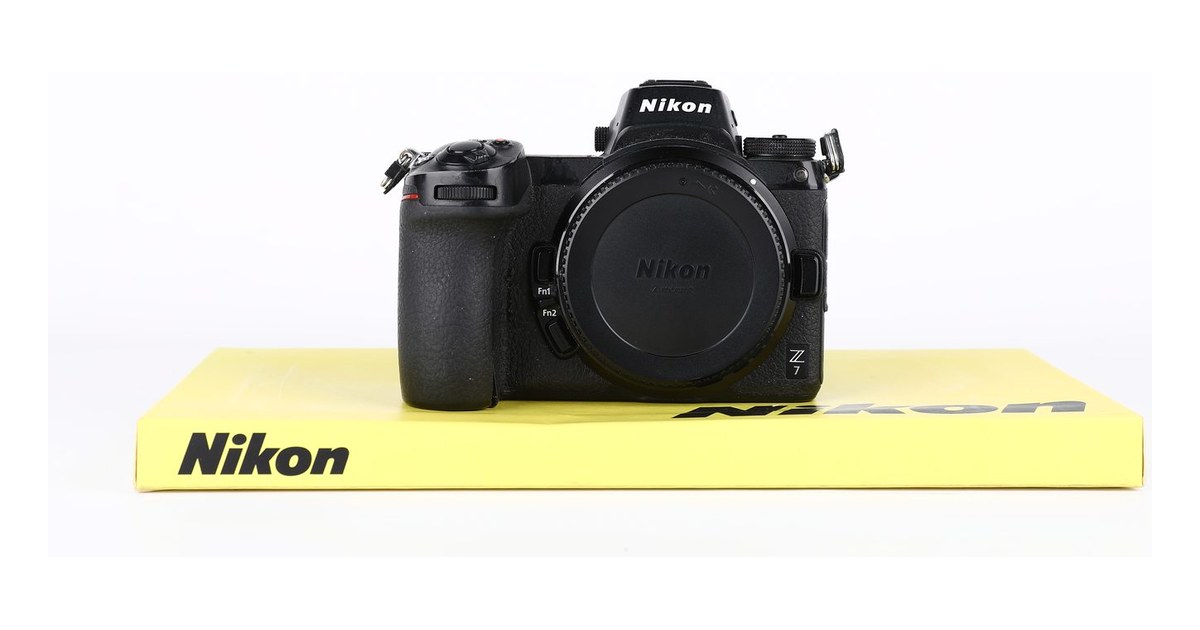
- The 2018 Nikon Z7 features a 45.7-megapixel BSI sensor without a low-pass filter. On the used market in 2026, it costs approximately between 1,000 and 1,300 euros, roughly 500 euros less than a Z7 II.
- The shutter is rated for 200,000 cycles. The shutter count can be read from the EXIF of a NEF file using ExifTool, so there is no need to trust what the seller claims.
- It has a single XQD/CFexpress Type B slot, and the contacts bend easily. Check the firmware: Eye AF arrives with version 2.0, CFexpress card support with 2.20, and Animal Eye AF with 3.0.
- If you do not print large or crop heavily, a 24-megapixel Nikon Z6 at 850 euros performs better in practical terms: files of 25-30 MB instead of 50-60 MB, a burst rate of 12 fps instead of 9, and better results at high ISOs.
Looking for a used Nikon Z7? The used Nikon Z7 page shows current availability and prices, with certified shutter count and a 2-year warranty. See also all used Nikon cameras.
The Z7 units that reach our counter almost always share the same story. They are sold by landscape or architecture photographers who have moved on to the Z7 II or the Z8, and they are often carefully used camera bodies, shot on a tripod, with a low shutter count. Then there is the other half: camera bodies bought out of curiosity for the 45 megapixels, used for six months with a 24-200 and resold because the files were too heavy. They are two very different cameras, even when the price tag is the same.
In this article, you'll find what to check on a used Nikon Z7 before paying: sensor, stabilization, shutter, card slot, firmware, and batteries. We also include realistic 2026 prices and an honest comparison with alternatives. For many photographers, the right answer isn't a Z7, and we say so clearly.
Who really needs a 45-megapixel Z7 (and who doesn't)
At the counter, most people asking for a Z7 don't need 45.7 megapixels. It's needed by those who shoot landscape, architecture, still life, and reproduction of artworks or documents. The same applies to those who crop heavily in post or sell large-format prints. For sports, events, and low light, the Z7 is the wrong camera, even if it costs little.
What changes when moving from 24 to 45 megapixels
The Z7 file measures 8256 x 5504 pixels. At full 300 dpi, it yields a print of approximately 47 x 70 cm. A 60 x 90 cm print comes out at around 230 dpi, remaining sharp even when viewed up close. With a 24 MP file, the same print drops below 170 dpi and holds up only at a normal viewing distance.
- 2x Crop: Halving the long and short sides leaves approximately 11 MP, sufficient for a 20 x 30 print or web use.
- DX Mode: The in-camera APS-C crop yields approximately 19 MP. More than many full APS-C DSLRs, useful with a telephoto lens to gain reach.
- No Low-Pass Filter: Fine detail increases, but moiré appears on tightly woven fabrics, grids, and louvered facades. In portrait photography with patterned clothing or textile product photography, it must be corrected in post or the aperture must be stopped down slightly.
When resolution becomes a burden
A 14-bit losslessly compressed NEF RAW file weighs 50-60 MB, or over 80 MB if uncompressed. This means approximately 1 TB for every 18,000 shutter counts, and a 2,000-photo wedding occupies more than 100 GB before even backing up. You need higher-capacity cards, larger drives, and a computer with adequate RAM and processor. On a laptop from a few years ago, importing and exporting a session can take dozens of minutes instead of just a few.
Then there is motion blur. At 45 MP, a micro-movement that goes unnoticed at 24 MP becomes visible at 100%, even at shutter speeds that would be safe on a 24 MP sensor. Those accustomed to the "1/focal length" rule must double the minimum safe shutter speed, or accept files that are less sharp than the sensor would allow.
We know the profile of those who regret it well. They photograph their children, travels, and friends' events, view the photos on their smartphone, and print at most one 30 x 40 per year. For them, the Z7 means full hard drives, 9 fps, a buffer that fills up quickly, and autofocus that is less responsive in the dark. For those who recognize themselves in this description, the Nikon Z6 we have today for 850 euros is the most sensible choice. It has 24 MP, files of 25-30 MB, and 12 fps, performs better at high ISOs, and locks focus more reliably in low light. Plus, it leaves you with the difference to spend on a good lens.
Sensor and stabilization: initial checks on the camera body
On a Z7, the sensor is the first thing to check, as it is also the most exposed. There is no mirror acting as a shield. Every time you change the lens, the filter in front of the sensor is left exposed, behind a 55 mm wide opening. On the mirrorless cameras that come to our bench, we find dust much more often than on DSLRs. At 45.7 megapixels and without a low-pass filter, every speck is visible.
Dust, scratches and hot pixels
It takes three checks and about ten minutes. The files must be viewed at 100% on a computer, not on the camera's monitor.
- Dust: set the aperture to f/16, focus manually at the minimum distance, and fill the frame with a uniform sky or a white sheet. Dark, blurred spots indicate dust: they can be removed with a cleaning, no problem.
- Scratches: in the same file, look for thin lines or arcs, not dots. An arc-shaped mark is the typical result of a dry swab or a dirty cloth. A scratch on the IR filter glass cannot be cleaned. It can only be resolved by replacing the filter or the sensor unit, and the cost must be deducted from the price.
- Hot pixels: mount the lens cap, turn off long exposure noise reduction, and take one 30-second exposure at ISO 100 and one at ISO 1600. A few isolated points are normal on any sensor. Dozens of colored points or a brightening border are not.
Check that the IBIS works
Nikon claims up to 5 stops of stabilization according to the CIPA standard. In practice, with a 24-70 at 45 mm on a 45-megapixel body, shutter speeds between 1/8 and 1/15 of a second handheld yield 100% sharp files repeatably. A full second, however, is a matter of luck. The test is simple. Take ten certified shutter count exposures at 1/10 s with VR on and ten with VR off, on the same subject rich in fine details. With stabilization enabled, at least half of the files must be sharp; with it disabled, almost none will be.
Then listen and look. A continuous hum or a vibration felt in the hand with the camera powered on is not normal. The same applies to an image that wobbles or slips in the viewfinder and does not stabilize after half-pressing the shutter button. These are symptoms of a problem with the gyroscope or the sensor actuators.
PDAF banding in backlight
The Z7 sensor contains dedicated phase-detection autofocus pixels. Under specific conditions, they leave a trace: thin, regular horizontal lines in the shadows. They appear when strong light enters the frame or comes from just outside it, such as the sun in backlight or a streetlight at night, and become visible when lifting the shadows by 3-4 stops in post. With some lenses, internal reflections accentuate them.
This is not a fault of the individual unit but a limitation of the model: all Z7 cameras exhibit this behavior. To identify it, simply note that it appears only under specific conditions and disappears when you change the framing. Lines present in every file, even with correct exposure, vertical banding, or striped color casts are a different matter and should be treated as a defect. When shooting against the light, it is advisable to expose for the shadows rather than trying to recover them later.
Shutter count and shutter: reading the true number
Nikon rates the mechanical shutter of the Z7 for 200,000 cycles. This is a test average, not an expiration date: some units last well beyond this, while others fail earlier. That is why, more than the number itself, it matters that you have read it from a file you shot yourself.
How to read the shutter count in five minutes
The shutter count of the Z7 is written in the EXIF data of every RAW. No Nikon software or special cable is required. The procedure is as follows:
- Set the quality to NEF and take a shutter count shot with the mechanical shutter, in front of the seller or as soon as you receive the camera body.
- Copy the file directly from the card to your computer, without using apps or editing software.
- Read it with ExifTool: the command exiftool -ShutterCount -SerialNumber filename.NEF returns the shutter count and the serial number of the camera body. Alternatively, a reliable online reading service that accepts NEF is fine.
- Compare the read serial number with the one printed under the camera body. If they do not match, the file does not come from that camera.
A screenshot or a ready-made JPEG from the seller proves nothing. An image can be retouched in a minute, a file can come from another camera body, and many programs remove the manufacturer's notes when exporting. The file must be new, just taken, and never processed.
How to interpret the number, as a general guideline:
- Under 20,000: amateur use, a few trips and weekends.
- Between 20,000 and 50,000: regular use, no worries if the rest is in order.
- Between 50,000 and 100,000: intensive use, often professional. Inspect the mount, slots, and rubber seals more closely.
- Between 100,000 and 150,000: acceptable if the price reflects it.
- Over 150,000: the price must account for a possible shutter replacement in the coming years.
There is, however, a limit to be aware of. Silent shooting uses the electronic shutter, which does not increment the counter. A Z7 used extensively in silent mode, for example at weddings in churches or for time-lapses, may show a low number despite having worked a lot. The shutter count indicates how much the mechanical part has worked, not the actual age of the camera body. This is why it must always be read in conjunction with the condition of the body.
What the shutter sound tells you
After reading the count, listen to the camera. Take about ten single shots and then a few bursts at the maximum rate of 9 fps. The rhythm must be regular and consistent, without hesitation. These are the signs not to ignore:
- an irregular or drier-than-usual noise on some shutter counts;
- a shutter count that jams or stops halfway;
- black frames, or frames with a dark band on the edge, in the middle of a burst.
If you experience any of these symptoms, budget for a shutter repair, regardless of what the counter shows. At our workshop, we always start with these two checks: the number read from the file and the listening test.
XQD slots, mount, viewfinder and body: where the Z7 breaks
On a used Z7, the card slot deserves the same attention as the sensor. There is only one slot: if the contacts are bent, the camera is not reliable, even when everything else is perfect.
The card slot
The pins on the XQD slot are thin. A card inserted at an angle, perhaps in a hurry or while wearing gloves, is enough to bend one. Usually, the camera does not stop working entirely. Intermittent errors appear: card not recognized, files not written, freezes during burst mode.
- Bring your own memory card, format it in the camera body, and take 50 RAW shots in burst mode.
- Review all the files and zoom in on a few: a corrupted file shows gray blocks or lines.
- Inspect the slot with a flashlight: the pins must be straight and aligned.
- Close the door. It must click shut firmly with no play, because a loose door lets dust settle right on top of the contacts.
Even a single sensor error during the test should be taken as a red flag. It is not a coincidence.
Mount, contacts and viewfinder
The Z mount has an inner diameter of 55 mm. Deep ring-shaped scratches on the flange indicate frequent lens changes or a mount adapter forced into place. The scratches themselves are not a defect: what matters is that the lens locks in without play. The electrical contacts must be clean and shiny. If they are dull or oxidized, the lens will communicate intermittently, causing aperture errors or inconsistent autofocus.
Look through the 3.69-million-dot OLED viewfinder at a white sky or wall, checking for dead pixels and spots. Perform the same test on the monitor. Bring your hand close to the eyepiece: the eye sensor must immediately switch from the monitor to the viewfinder. Move the tilting monitor through all its positions. The hinge must have no play and the image must not flicker, as this would indicate a worn-out flat cable.
Signs of drops and moisture
The body is made of magnesium alloy, and Nikon states it is weather-sealed, similar to the D850. In practice, seals on buttons, doors, and the mount withstand light rain and dust. It does not withstand immersion, and Nikon does not declare any IP rating. A single crushed seal or a door that does not close properly is enough to nullify the protection.
- Dents on the edges or top plate: there has been a drop, even if the camera body works.
- Marked screws: someone opened it, and it is worth knowing who and why.
- Lifted grip rubber and USB, HDMI, and microphone door covers that do not stay closed.
- Fogging inside the viewfinder when the camera moves from cold to warm.
- Green corrosion on the battery contacts: moisture has entered the compartment.
Firmware and batteries: today's Z7 is not the 2018 one
A Z7 that has been updated and one that is still on the factory firmware are two different cameras, even if the body is identical. In 2018, it did not recognize eyes, did not read CFexpress cards, and could not distinguish a dog from the background. All these features arrived later, for free, with updates. At the counter, we still see units stuck on 1.x, sold by people who have never opened that menu.
Which firmware to check
The version can be found in the Settings menu, under the Firmware Version entry. These are the steps that matter:
- 2.0 (2019): Eye AF for people, the feature that made the Z7 usable for portrait photography.
- 2.20: support for CFexpress Type B cards, in addition to XQD.
- 3.0: Eye AF for animals, dogs and cats.
With a 1.x, you get a Z7 that focuses like it did at launch but only accepts XQD cards, which are increasingly difficult to find new. To update, download the file from the Nikon website and copy it to the root of a card formatted in the camera. Then launch it from the same menu item. You need a charged battery, and do not turn off the camera during the write process, as an interrupted update can result in a service visit. You also need an XQD or CFexpress card reader on your computer to copy the file.
There is also the RAW video output via HDMI to an external recorder, which is activated for a fee through Nikon support. It is intended for those who shoot video with a dedicated recorder. If you are buying a Z7 for photography, it is not a reason to pay more for it.
Compatible, original and clone batteries
| Battery | Works in Z7 | USB charging in body |
|---|---|---|
| EN-EL15 | Yes | No |
| EN-EL15a | Yes | No |
| EN-EL15b | Yes | Yes |
| EN-EL15c | Yes | Yes |
Charging in the body is performed with the camera powered off, using the Nikon EH-7P adapter. Not all generic USB-C chargers are accepted. Nikon states approximately 330 shutter count according to the CIPA standard. In practice, without video and without reviewing every photo, you get between 400 and 600 shutter count. For a day of landscape photography, two batteries are the minimum.
The tricky part is clones. Many will fire the shutter but are not recognized for USB charging, and some trigger a warning at startup. Before buying, open Battery Info in the Settings menu. You will find the charge level in percentage, the shutter count since the last charge, and the battery life on a scale from 0 to 4, where 4 means it needs replacement. Often, a clone will not display this data, which is enough to tell what you are dealing with. If the Z7 comes with a single battery already at 3 or 4, budget for an original EN-EL15c.
Lenses, FTZ and tripod: 45 megapixels leave no room for error
On a Z7, a mediocre lens is immediately obvious. Flaws that remained hidden at 24 megapixels become evident: muddy edges, chromatic aberrations, and focus errors of just a few millimeters. Before buying the body, it is advisable to understand which lenses you will use with it, as the lens determines the resolution.
Which lenses do justice to the Z7
Nikon Z S-Line lenses are engineered for this resolution, and it shows. The Nikkor Z 24-70 f/4 S, often sold as a kit, is sharp to the edges even at maximum aperture and justifies the system on its own. The Z 50 f/1.8 S and the Z 85 f/1.8 S are two lightweight primes that truly leverage the 45 MP sensor, even in tight portraits and still life.
On the F front, the picture is more varied. Lenses like the AF-S 14-24 f/2.8G or the 70-200 f/2.8E FL hold up well. Many all-in-one zooms from the DSLR era, such as the AF-S 24-120 f/4G VR or the 28-300 VR, perform adequately in the center but reveal their limitations at the edges and extreme focal lengths. If your lens collection consists of such zooms, a Z7 will primarily highlight their flaws.
For landscape and architecture, a tripod becomes essential again. At 45 MP, even the slightest camera shake can compromise the detail visible at 100%. A tripod, a delayed shutter, and the electronic first curtain become part of the routine. If you need to buy one, here is our guide to used tripods and what to check.
The FTZ adapter: what works and what doesn't
The FTZ does not have an internal motor, so compatibility depends on where the focusing motor is located.
| Lens Type F | Autofocus on Z7 with FTZ |
|---|---|
| AF-S, AF-P, AF-I (G and E) | Yes, with stabilization and electronic aperture |
| AF and AF-D screw | No: manual focus only with confirmation, light meter works |
| AI and AI-S manual | Manual, after entering the data of the non-CPU lens in the menu |
| DX lenses | Yes, with automatic DX crop at approx. 19 MP |
If you buy a used FTZ, check three things:
- Contacts: clean, not oxidized, and with no bent pins, on both sides.
- Mount play: when mounted between the camera body and the lens, there must be no movement. Even minimal play causes image decentering, which is visible at 45 MP.
- Tripod socket: the 1/4" thread must be intact and the screw must not be stripped. The FTZ II, released later, does not have a tripod socket.
If you find a Z7 sold as a kit with the FTZ, it is almost always worth buying it that way: purchased separately, the adapter costs much more than its impact on the kit price.
2026 Prices and Alternatives: Z7, Z7 II, Z6 or a 36 MP DSLR
In 2026, a used Nikon Z7 in good condition costs approximately between €1,000 and €1,300. A Z7 II ranges from €1,500 to €1,900. These are indicative ranges: the shutter count, the condition of the slot, and the included accessories matter. The sensor is the same 45.7-megapixel unit, so the price difference is paid only for what surrounds it.
Z7 or Z7 II: is the difference worth it?
With a difference of around 500 euros, you are not buying better image quality. You are buying a faster and more reliable camera for professional work.
| Item | Nikon Z7 | Nikon Z7 II |
|---|---|---|
| Slots | 1 XQD/CFexpress Type B | 1 CFexpress Type B + 1 SD UHS-II |
| Processor | Single EXPEED 6 | Dual EXPEED 6 |
| Max burst rate | 9 fps | 10 fps |
| Buffer | Limited | Significantly larger |
| Indicative used price | €1,000-1,300 | €1,500-1,900 |
One extra fps doesn't change anyone's life. The larger buffer and faster AF in complex situations are noticeable, but the real reason to spend more is the dual slot. Those who photograph weddings, corporate events, or commissioned work and want to record simultaneously on two cards have a concrete reason. For those who photograph landscape, architecture, and still life for themselves, the Z7 is enough, and the 500 euros saved are better spent on a lens from the S line.
When a Z6 or a 36 MP DSLR is the best choice
If you photograph family, travel, and portraits, and your prints don't exceed A3 size, you lose nothing with 24 megapixels. The Nikon Z6 we have for 850 euros uses the same mount and the same FTZ, and performs better in bursts and low light. The Z lenses you buy today, starting from the 24-70 f/4 S, remain valid even if you later switch to a 45 MP camera body.
If you want high resolution without spending much and don't need a mirrorless camera, a DSLR is worth considering. You accept an optical viewfinder and a heavier camera body, but the 36 MP are full and F-mount lenses cost less. We discussed this in the article about the used Nikon D810.
If you are not tied to the Nikon system, you have two other options:
- Canon EOS R, between 690 and 800 euros: 30 MP, reliable Dual Pixel AF and RF mount. It has a single SD slot and no in-body image stabilization.
- Sony A7 Mark II, starting from 500 euros: 24 MP and in-body image stabilization. It is the most affordable way to enter full frame, provided you accept slower AF and short battery life.
If you are comparing used full-frame mirrorless cameras in general and do not yet own any Nikon lenses, the benchmark remains the used Sony A7 III, which we analyzed separately. However, the criterion does not change. Start with what you actually photograph, not the number of megapixels listed in the technical specifications.
What we do in our lab with a Nikon Z mirrorless
Every Nikon Z we put up for sale goes through our workshop bench before it gets a price. The sequence is always the same, whether it's a Z7 or a Z6. We're sharing it because it also serves as a good checklist for anyone buying from a private seller.
- Shutter count read from the file. We take a new NEF and read the number from the EXIF. The value you see in the product sheet comes from there, not from what the seller told us.
- Sensor test at f/16 and long exposure. At f/16 on a uniform surface, dust and spots that are not visible at full aperture become apparent. The long exposure with the cap mounted is used to find hot or defective pixels.
- IBIS test. With the body on, we listen to the sensor and look through the viewfinder to see if the image stabilizes, then we take a series of hand-held shots at slow shutter speeds. A stabilizer that vibrates or fails to hold up will be revealed here.
- Slot test with 50 RAW in burst. We take a burst of 50 NEF and check that the writing goes all the way through, that no errors occur, and that all files open. A tired slot contact usually reveals itself under load.
- Mount and contacts. We check that the mount has no play or deep scratches and that the contacts are clean and aligned, testing both a Z lens and one mounted on the FTZ.
- Firmware updated to the latest version. We update it before sale, so the body arrives with all the functions Nikon has added over the years.
- Battery. From the Battery Info menu, we read the aging status of the EN-EL15. If the battery is at the end of its life, we state it in the product sheet, instead of leaving it for the customer to discover after a week.
If a camera body fails any of these checks, it is either repaired or not put up for sale. What we sell comes with a 2-year warranty, which matters more than a few tens of euros in discount for a mirrorless with a single slot and a constantly exposed sensor.
Our catalog reflects the current reality: we do not have a Z7 in stock today. We have a Nikon Z6 for 850 euros, which has passed the same protocol. For those who do not need the 45 megapixels, this is the most sensible body of the two. If you are specifically looking for a Z7, contact us and we will notify you when a refurbished unit arrives, with the shutter count already read from the file.
Frequently Asked Questions
How many shutter counts are too many for a used Nikon Z7?
The shutter is rated for 200,000 cycles. Below 50,000 shutter count, the camera has plenty of life left. Between 100,000 and 150,000, it is acceptable if the price reflects this. Above 150,000, it is advisable to factor in a potential shutter replacement into the final cost.
Does the first-generation Nikon Z7 still make sense compared to the Z7 II?
Yes, if you mostly work on a tripod and don't need the second slot. The sensor is the same 45.7 MP, and with the updated firmware, the AF includes Eye AF for people and animals. The Z7 II is worth the extra ~500 euros for those who work on commission and want backup on two cards.
Can I use my Nikon F lenses with the Z7?
Yes, with the FTZ adapter. AF-S and AF-P lenses retain autofocus and stabilization. Older AF-D lenses with screw drives lose autofocus because the FTZ lacks a motor. However, many older F-mount zooms show their limitations at the edges on 45 MP.
Is the single XQD slot a problem?
For amateur and landscape use, no: XQD and CFexpress cards are robust. The real risk is mechanical, namely bent pins from a poorly inserted card. For weddings and events, where losing files is not acceptable, a body with dual slots is better.
How large are the Z7 files and what computer is required?
A 14-bit losslessly compressed RAW file weighs between 50 and 60 MB, while an uncompressed one exceeds 80 MB. To work with them smoothly, you need at least 16 GB of RAM, preferably 32 GB, and an SSD. A 1 TB drive holds approximately 18,000 files.
Is a used Nikon Z7 or a Z6 better for starting with Nikon mirrorless?
For most photographers, the Z6 is the way to go. It costs around 850 euros, produces lighter files, offers a 12 fps burst rate, and performs better at high ISOs. The Z7 only makes sense if you print large, crop heavily, or shoot landscape, architecture, and still life.
Looking for a refurbished Nikon Z? Let's talk
If you have questions about a purchase or need advice for your specific case, contact us. We offer free advice because we are photographers first and sellers second, and because a customer who makes a bad purchase won't come back to photography.
Three ways to get in touch:
- Contact form — response within 24 business hours
- WhatsApp at 342 362 3454 (messages only)
- Phone: 071 291 6347 (Mon-Fri 9-13/15-18, Sat 9-13)
And if you want to see what we have in stock right away, explore the used gear available today: every camera is certified, comes with a 2-year warranty, and ships within 24-48 hours.
Article written by Matteo for the ReflexMania Team. Last updated: November 2026. Prices and availability as of the date of publication.